Musicians at Aqus Cafe
We are a small cafe that has music on Fridays from 6-8pm generally featuring local musicians. We are perfect for a local solo artists or duos and do not generally have large bands as we do not have enough room. We do not charge a cover.
Compensation is $100 plus a 50% discount on all food and drinks. Setup begins at 5 pm.
The kitchen closes at 7 pm, so please order your food beforehand or eat before the gig. The bar remains open until 8pm.
We have a tip jar or bring your own. It really makes a difference if you have someone to pass it around to audience. You are welcome to bring your own Venmo (or other) QR Code
The cafe can be lively, with the sounds of espresso machines, dishwashers, clinking plates/glasses, and lively conversation—more of a pub vibe than a concert hall - please do not get disappointed if people are talking while you are playing.
Confirmation: One month before your gig, you must confirm the gig via email. Additionally send us the link to a Facebook event, so we can help promote it. Also verify that the gig listing on our calendar is accurate: www.aquscafe.com/calendar.
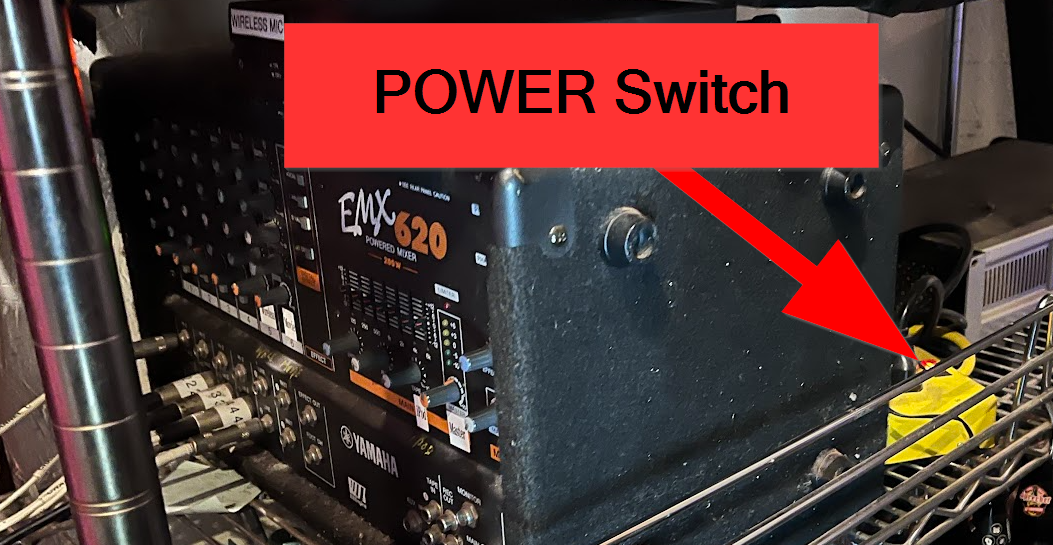
Sound System: You are welcome to use our PA system, but you'll need to manage it yourself. Scroll down this page.
Announcement: At 6:45pm on gig night, please announce that the kitchen will be closing at 7pm. AND please take a 10 minute set-break at 6:45pm
We have 3 house bands that play the 1st, 3rd and 4th Friday’s of each month leaving only the 2nd and 5th Friday available. Hence, there are not many available dates and we are typically booked out a year in advance. We may open up for music on Saturday next year.
If you're interested in performing, please complete the form below. We look forward to hosting you.
PA System
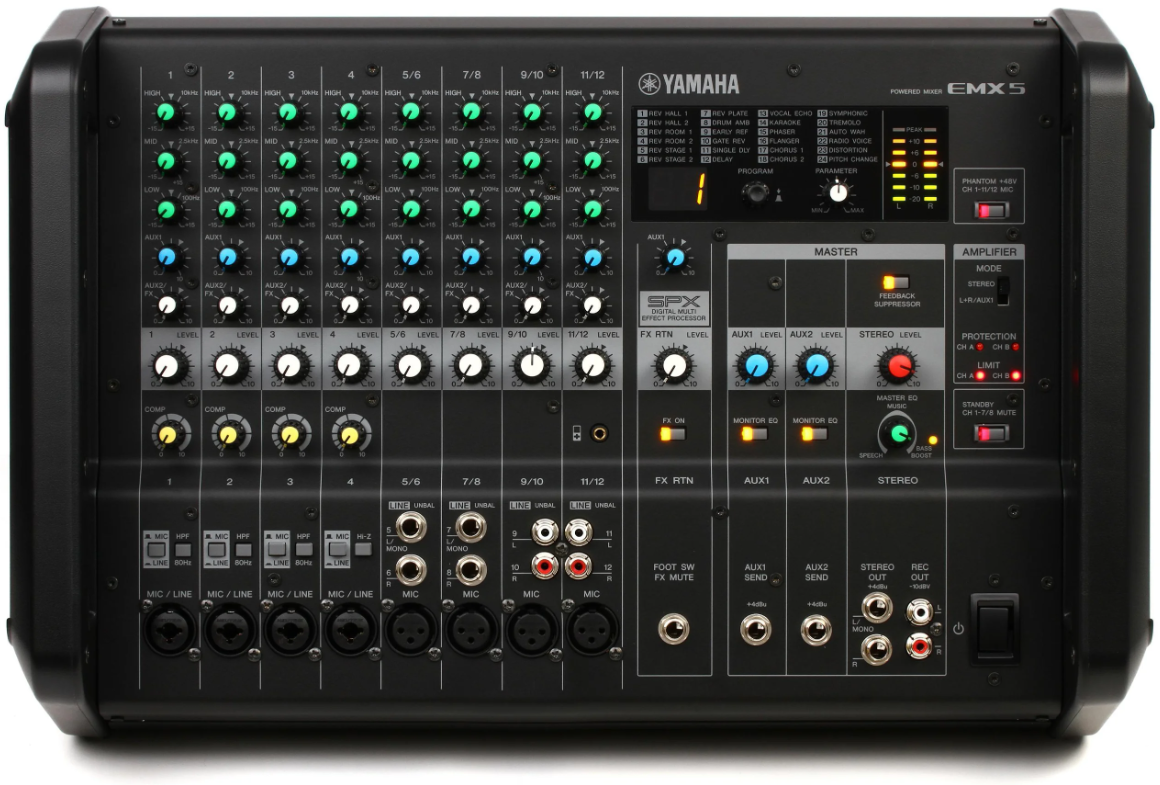
Aqus has a house PA system (Yamaha EMX5 12-channel 1260W Powered Mixer) with up to 4 inputs for instruments and microphones. The system is tuned to the house, so bands are highly encouraged to use the installed PA system. Of course you are welcome to bring your own too. We have 2 house microphones with stands and cables.
Aqus does not have a “sound person” to administer the PA, so bands need to have someone who understands and can balance the sound.